01Claude Code limits in short
- One pool
- Claude Code, in the terminal or an IDE, counts against the same plan limits as Claude on the web, desktop and mobile.
- 5-hour session
- Your session limit resets every five hours. Settings > Usage shows how much you have used and the time left.
- Weekly limit
- Paid plans add a weekly limit across all models. It resets at a fixed day and time assigned to your account.
- Model limits
- Some limits apply to one model family only. Switching models helps with those, never with the session or weekly limit.
- Where to check
- Settings > Usage in Claude, or
/usagein Claude Code.
02The Claude 5-hour session limit
Pro and Max plans have a session-based usage limit that resets every five hours. Anthropic's Claude Code documentation describes it as a rolling allowance shared across all models, so moving to another model does not give it back.
A session is not a fixed number of messages. Anthropic says how far it goes depends on message length, the files you attach, the length of the conversation, and the model or feature you use. Claude Code also sends the whole conversation with each request, so a session that has been open for hours draws more than its last prompt suggests. Running /clear between unrelated tasks keeps that context small.
Claude Code warns you before the session runs out, with a message such as You've used 85% of your session limit · resets 3:45pm. At the limit it stops with You've hit your session limit and the time it resets.
On Team and Enterprise plans, each seat has its own allowance that resets on a rolling five-hour window and a weekly window. It is shared with Claude chat and Cowork, and its size depends on the seat tier.
03The Claude weekly limit
Pro and Max plans also have a weekly usage limit that applies across all models. It resets at a fixed time each week that is assigned to your account. That day and time stay the same no matter when you start using Claude or when your subscription began, and each cycle starts with your full weekly allowance.
Every request counts against the session and the weekly limit at the same time. A few heavy days can use up the weekly limit while each five-hour session still has room, and once it is gone a fresh session does not help. Claude Code then shows You've hit your weekly limit with the day and time it resets.
Anthropic also says it may limit usage in other ways, such as weekly and monthly caps or model and feature usage, at its discretion.
04Model-specific limits
Anthropic documents two kinds of limit tied to a model:
- Fable models. On Max plans and premium Team and Enterprise seats, Fable models are included and can use up to 50% of your weekly limits. They draw from the same weekly limit and use it faster than other models, and Settings > Usage shows them on their own line. On Pro and standard Team seats they run on usage credits instead.
- Opus and Sonnet limits. Claude Code can stop with
You've hit your Opus limitorYou've hit your Sonnet limit. These apply only to that model family, so switching to another family with/modelkeeps you working.
The session and weekly limits are different: they are shared across all models, so switching models does not restore them.
05When Claude limits reset
| Limit | Applies to | Resets |
|---|---|---|
| 5-hour session | All models | Every five hours. Settings > Usage shows the time left. |
| Weekly limit | All models, on paid plans | At a fixed day and time assigned to your account. |
| Fable | Fable models, where included | Its reset time has its own line in Settings > Usage. |
| Opus or Sonnet limit | That model family only | At the time shown in Claude Code's message. |
Limit resets
Anthropic occasionally gives eligible plans a limit reset: a refill that sets your five-hour session or your weekly limit back to full when you choose to use it. Any expiry date appears in Settings > Usage, and your weekly limit still resets on its usual day and time afterwards. The Reset for free button is not available in the Claude mobile app or in Claude Code, so use it from a browser or Claude Desktop.
Because a reset refills to full, it is worth the most when the window is nearly used up and its own reset is still far away. Spent on a half-used window, it buys back only half a window.
06How to check your Claude Code usage
- Settings > Usage in Claude on the web or Claude Desktop shows progress bars for the current session, with the time remaining, and for your weekly limits (all models, and Fable if your plan includes it), along with your next reset time and any usage credits. It is available on Pro, Max, Team and seat-based Enterprise plans.
/usagein Claude Code shows your plan's usage bars and when they reset, plus a breakdown of what used them over the last day or week, such as skills, subagents and MCP servers. The breakdown comes from sessions on that computer only.- The usage ring next to the model picker in Claude Desktop.
- A custom status line. For Pro and Max subscribers, Claude Code passes
rate_limits.five_hourandrate_limits.seven_dayto your status line script, each with the percentage used and the reset time.
07What to do when you hit the limit
- Wait for the reset shown in the message. In interactive sessions, recent versions of Claude Code can wait and continue the interrupted task automatically; press Esc to cancel.
- Switch model family with
/model, if the message names Opus or Sonnet. - Turn on usage credits on Pro or Max to keep working past the included limits, billed at standard API rates.
/usage-creditsopens the setting; Team and Enterprise members can use it to ask an admin. - Use a limit reset if you have one, from a browser or Claude Desktop.
- Upgrade to a plan with higher limits.
08Track Claude Code limits on your iPhone
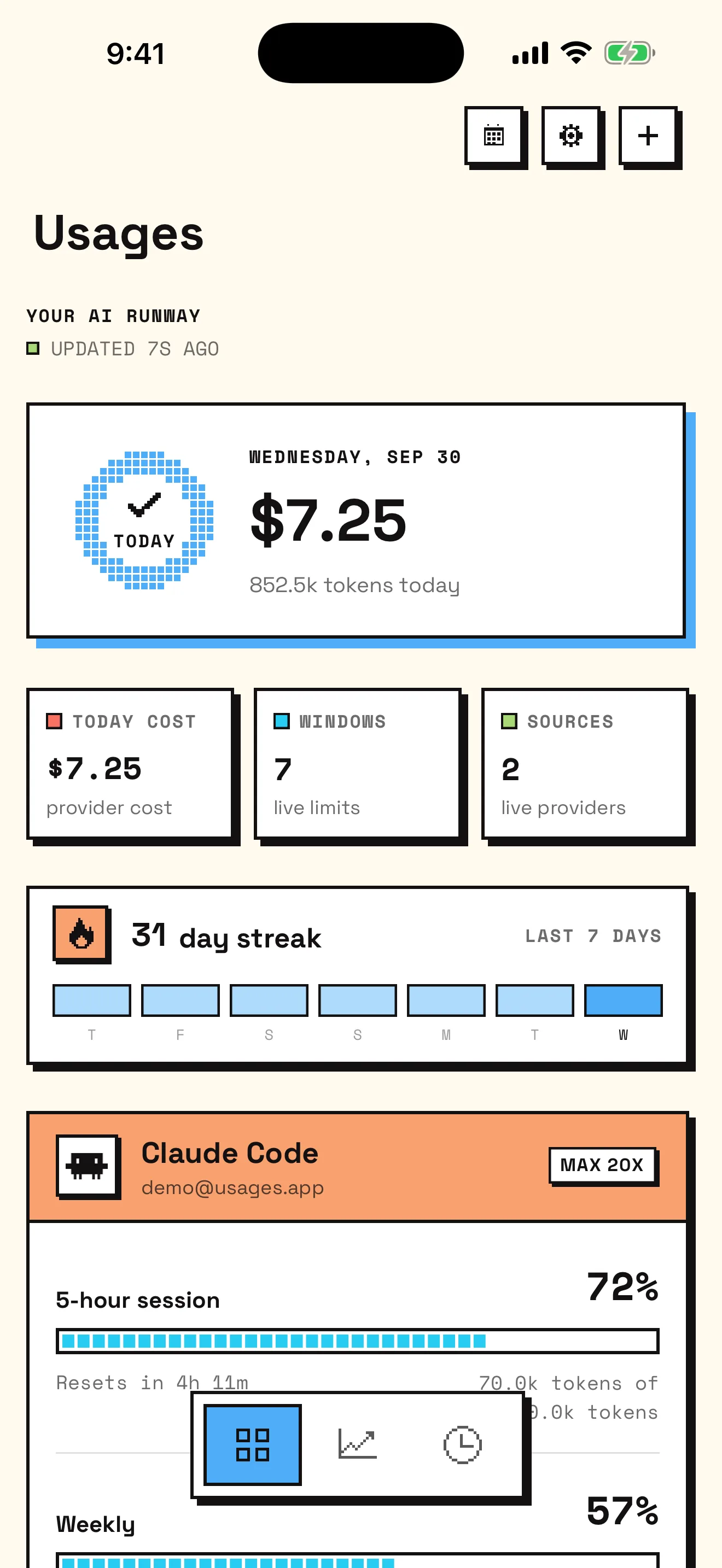
Settings > Usage and /usage answer when you go and look. Usages is a free iPhone app that keeps the same windows on your Lock Screen and tells you before one runs out:
- Your 5-hour session and weekly limit as bars, each with how much is left and a countdown to its reset, plus any model-specific window Anthropic reports for your plan.
- Home Screen and Lock Screen widgets, and a Control Center control for the tightest limit.
- Alerts when a window is 75% or 90% used, when it resets, and when your measured pace would run it out before the reset.
- Limit resets you have banked, the date each one lapses, and advice on when spending one pays off. Usages never spends a reset; you do that in Claude.
- Per-model history from Usages for Mac, which reads Claude Code's local logs, because the plan reports its windows but not which model used them.
You connect by authorizing Claude Code in Apple's secure browser. The credential stays in the iOS Keychain, your iPhone talks to Anthropic directly, and there is no Usages account or server. The iPhone setup guide walks through it step by step.
09Sources
Anthropic's own pages are the authority on plans and limits, which change over time. This guide was checked against:
- Use Claude Code with your Pro or Max plan
- What is the Pro plan?
- What is the Max plan?
- Usage limit best practices
- What is a limit reset?
- Claude Fable models on your plan
- Manage usage credits for paid Claude plans
- Claude Code docs: Error reference
- Claude Code docs: Manage costs effectively
- Claude Code docs: Customize your status line
Last checked: September 2026. Usages is independent and not affiliated with Anthropic, OpenAI, or any supported service.