01What you need
- An iPhone with iOS 17 or later. The Control Center control needs iOS 18.
- An account with at least one supported service: Claude Code, OpenAI Codex, Cursor, GitHub Copilot, OpenRouter, Grok, Kimi or Z.ai GLM.
- No Usages account. There is nothing to sign up for.
02Install Usages
Download Usages from the App Store. It is free. To look around before connecting anything, tap Explore sample data on the first onboarding screen; sample mode makes no network requests and needs no credentials.
03Connect Claude Code, Codex or another service
- Tap + in the dashboard toolbar.
- Choose the service.
- Sign in on that service's own page:
- Claude Code: authorize Claude Code in Apple's secure browser, then paste the authorization code it shows back into Usages.
- OpenAI Codex: sign in to ChatGPT in Apple's secure browser.
- Cursor: approve the connection on Cursor's login page.
- GitHub Copilot: enter the one-time code at github.com/login/device.
- OpenRouter, Z.ai GLM and Kimi: paste an API key. For Grok, paste the token its command-line tool stores.
Organizations can paste an Anthropic or OpenAI Admin API key instead, which adds official token and cost reports. Usages never sees your password: the token or key goes straight into the iOS Keychain, and your iPhone talks to each service directly, with no Usages server in between.
04Read the account card
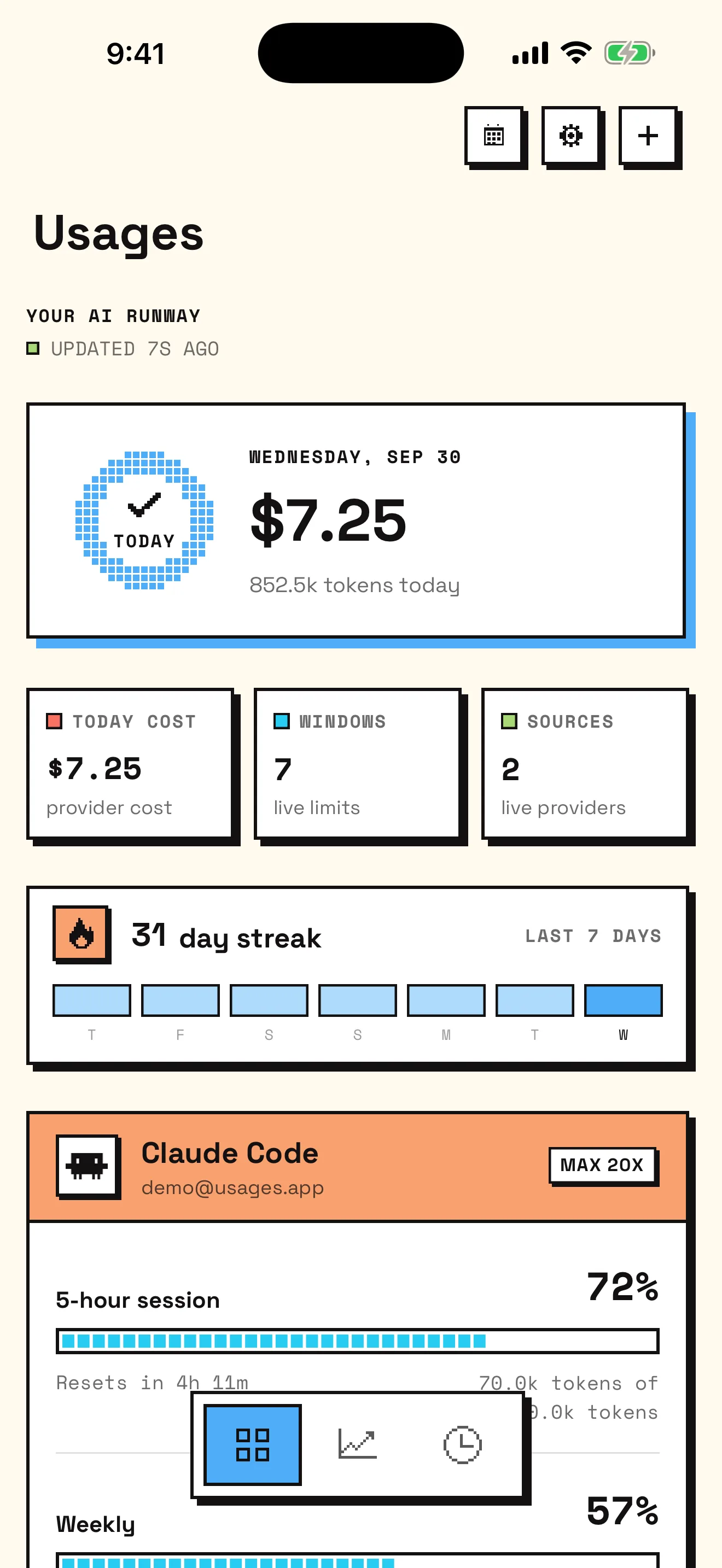
Each service gets a card. The colored header names the account and plan, and each row below it is one limit.
- Name and percentage
- For Claude Code, “5-hour session” and “Weekly”. The percentage is how much is left by default; you can switch it to used in Settings.
- Bar
- Green while most of the window is left, cyan below 80%, yellow from 40% and coral from 10% left.
- Reset
- A countdown such as “Resets in 4h 11m”, or the clock time if you prefer.
- Tokens and cost
- Shown where the service publishes them. Estimated cost is always labeled as an estimate.
- Banked resets
- When Claude or Codex has given you a reset to spend later, the card shows when it lapses and whether spending it now pays off.
Pull down to refresh. While the app is open it refreshes every five minutes, and iOS lets it refresh in the background from time to time.
05Add a Claude usage widget to your Lock Screen
- Touch and hold the Lock Screen until Customize appears, tap it, then choose Lock Screen.
- Tap the widget area below the time, or the line above it for an inline widget.
- Choose Usages, then Single Limit in the circular, rectangular or inline size.
- Tap the widget to choose the Account, the Limit (for example Claude Code's 5-hour session) and whether it shows Remaining or Used. Tap Done.
On the Home Screen, the Usage widget shows every connected account in small, medium or large, and Single Limit follows one window. On iOS 18, the Tightest limit control in Control Center shows the quota closest to running out. Widgets show the numbers from the app's latest refresh; they never sign in or fetch on their own.
06Set usage alerts
Open Settings › Usage alerts in Usages and allow notifications when iOS asks. Each kind can be turned on or off:
- Quota threshold alerts at any of 50%, 75%, 90% and 100% used; 75% and 90% are on by default. Each fires once per window and re-arms when the window resets.
- Window reset alerts, scheduled on your iPhone from each window's reset time, so they arrive on time without waiting for a background refresh.
- Run-out forecasts, when your measured pace would empty a window before it resets.
- Banked reset alerts, two days before a banked reset lapses and when spending one is worth it. Usages never spends a reset for you.
To quiet one window without hiding it, mute it from its account screen; its row then shows a slashed bell. All notifications are scheduled on the device. There is no push server.
07Go further
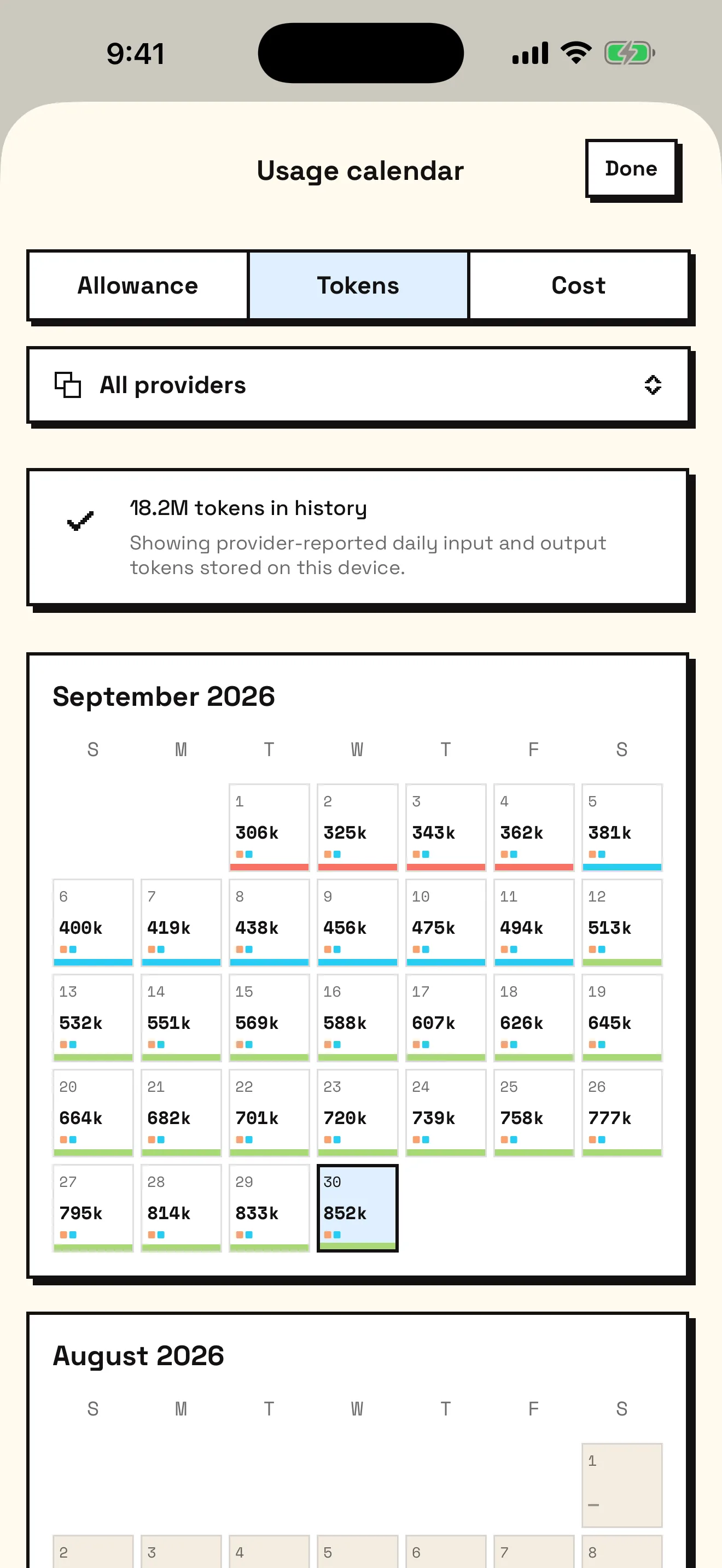
- Insights chart tokens and cost by week, month or quarter, by model and by hour of the day. The usage calendar shows each day's allowance, tokens or cost.
- Usages for Mac reads the Claude Code and Codex logs on your Mac and sends daily totals, split by model, to your iPhone through your own iCloud.
- The Focus tab runs a Pomodoro or countdown timer that plans around your quota, with a Live Activity in the Dynamic Island.
- To understand the windows themselves, read Claude Code usage limits and Codex usage limits.
Last checked: September 2026. Usages is independent and not affiliated with Anthropic, OpenAI, or any supported service.