01Codex limits in short
- One allowance
- Codex in the CLI, the IDE extension, the desktop app, on the web and in the cloud draws on one allowance, shared with ChatGPT Work and other agentic features on your plan.
- Two windows
- Depending on the plan, a five-hour window and a weekly window apply, and you need allowance left in both to keep going.
- Not a message count
- How far it goes depends on the model, reasoning level, speed, context and where the task runs.
- Resets and credits
- A reset refills the windows and moves your weekly reset date. Credits pay for usage past the included limits.
- Where to check
- Settings → Usage, the usage dashboard, or
/statusin the Codex CLI.
02Which ChatGPT plans include Codex
OpenAI includes Codex in the ChatGPT Free, Go, Plus, Pro, Business, Edu and Enterprise plans, and usage limits vary by plan. Codex Cloud, which runs tasks on OpenAI-managed computers, is available to eligible Plus, Pro, Business, Enterprise and Education accounts, not Free or Go.
OpenAI's pricing page gives estimated ranges of local messages per five-hour window for each model. It stresses that these are estimates, not fixed limits, and they change as models change, so this guide does not repeat them. Your usage dashboard shows the limits that apply to you.
Enterprise and Edu workspaces with flexible pricing have no fixed rate limits; their usage scales with credits. Codex used with an API key instead of a ChatGPT sign-in is billed at API rates.
03The Codex 5-hour window
Where a five-hour limit applies, it sets how much usage is included in each window. A new window starts when you send your first message in Codex or ChatGPT Work after the previous window has ended.
The window is a budget, not a timer. You can reach the five-hour limit well before five hours have passed, even with weekly usage left. Larger inputs and outputs, higher reasoning levels, Fast mode and multi-step tasks can all use more of it, and cloud tasks may use more than local messages. Switching to another model does not refill a shared pool.
04The Codex weekly window
The weekly limit controls how much included work you can do over the weekly usage period. When both limits apply, you need allowance remaining in both: a full five-hour window does not help once the weekly limit is reached.
Your weekly reset date can move. Applying a full banked reset or buying an instant reset starts a new weekly period with your next request in Codex or ChatGPT Work, and the next automatic weekly reset falls seven days after that request. Settings → Usage shows your current reset time.
05Codex rate limit resets: banked, automatic and paid
| Reset | How you get it | What it does |
|---|---|---|
| Banked | Promotions and referrals. Saved to your account until you use it or it expires. | Refreshes the 5-hour and weekly windows when you apply it, and moves your weekly reset date. |
| Automatic | Announced by OpenAI and applied for you. | Refreshes the limits named in the announcement. Nothing is saved for later. |
| Instant (paid) | Bought by eligible Plus and Pro personal accounts. | Restores 5-hour and weekly usage at once. It cannot be saved and pulls your weekly allowance forward. |
To apply a banked reset, open Settings → Usage in the desktop app, the CLI or on the web and choose the available reset, such as “1 reset available”. It is used only when it refreshes at least one window, so applying it with nothing to reset leaves it in place. Once it expires it cannot be restored, and OpenAI Support does not reset limits on request.
Like any refill, a reset is worth the most when a window is nearly used up and its own reset is still days away. An instant reset applies the moment you buy it, even if you still have usage left.
06Codex credits
Credits are a pay-as-you-go balance for usage beyond your plan. Your included usage is spent first; once you reach a limit, eligible usage draws from credits.
- On Plus and Pro, Codex offers to add credits when you hit a limit. You can also buy them from Settings > Usage in ChatGPT or Usage & Billing in the Codex app, where automatic reload may be offered.
- One balance covers Codex, ChatGPT Work and other supported features. Credits are not API credits.
- Credits are valid for 12 months from purchase and are generally non-refundable.
- Business, Edu and Enterprise workspaces with flexible pricing buy workspace credits instead.
The pricing page lists credit rates per million tokens for each model. OpenAI notes that credit rates alone do not tell you how fast you use your included limits.
07How to check your Codex usage
- The usage dashboard at chatgpt.com/codex/settings/usage shows your current limits and reset times.
- Settings → Usage in the ChatGPT desktop app shows which allowance is used, your credit balance, any available resets and the reset times.
/statusin an active Codex CLI session shows your remaining limits.
OpenAI suggests checking the dashboard every week or two to understand your pace.
08What happens when you hit a Codex limit
If you reach a limit during an active turn, Codex can finish that turn, subject to fair-use limits. After that, the limit notice shows the options for your account: add credits, apply an available reset, upgrade, or wait for the reset time shown. You can also run extra local chats with an API key, billed at standard API rates.
09Track Codex limits on your iPhone
Usages is a free iPhone app that shows your Codex windows next to Claude Code, Cursor, GitHub Copilot and more, without opening a terminal:
- The five-hour and weekly windows, each with how much is left and a countdown to its reset.
- Banked resets with the date each one lapses, and advice on when spending one pays off. Usages never applies a reset; you do that in Codex.
- Alerts when a window is 75% or 90% used, when it resets, and when your measured pace would run it out early.
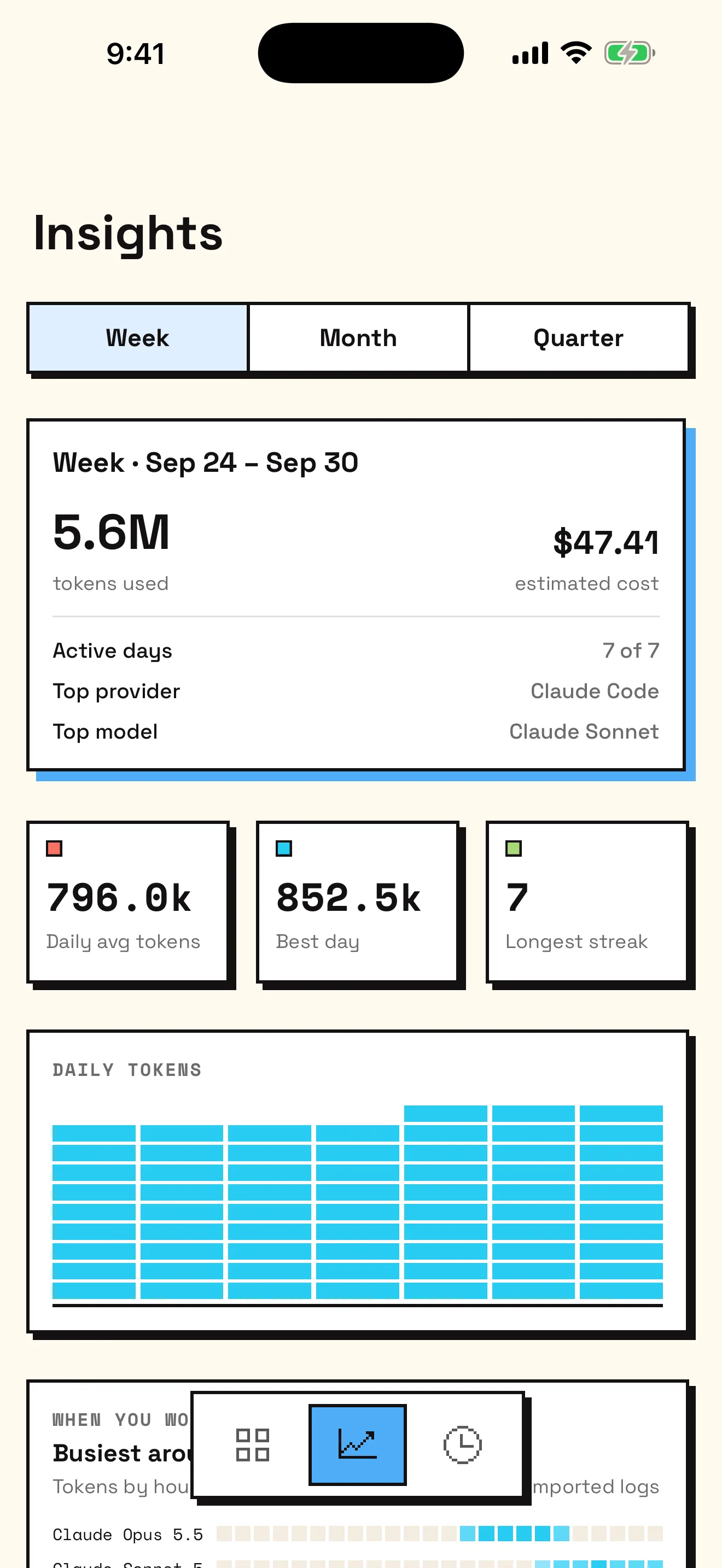
- Daily tokens and each day's share of the weekly window by model, where Codex reports them, in Insights and the usage calendar.
- Home Screen and Lock Screen widgets, and a Control Center control.
You connect by signing in to ChatGPT in Apple's secure browser, the same browser-based flow the Codex CLI uses; organizations can use an OpenAI Admin API key for usage and cost reports instead. For history from the Codex logs on your Mac, add Usages for Mac. The iPhone setup guide covers widgets and alerts.
10Sources
OpenAI's own pages are the authority on plans and limits, which change often. This guide was checked against:
- Using Codex with your ChatGPT plan
- Managing usage with GPT-6 Astra in Work and Codex
- How banked Codex resets work
- Paid weekly Work and Codex rate limit resets
- Using Credits for Flexible Usage in ChatGPT (Personal plans)
- Codex pricing and usage limits FAQ
Last checked: September 2026. Usages is independent and not affiliated with Anthropic, OpenAI, or any supported service.